
Instagram not connecting to Facebook Ads Manager is a common but critical issue that can disrupt campaign performance, tracking accuracy, and budget optimization. For advertisers, media buyers, and growth teams managing high-spend Facebook Ads accounts, this problem directly impacts attribution, creative delivery, and account scalability. Below is a comprehensive, SEO-optimized guide that goes beyond surface-level fixes and addresses both technical and strategic considerations.
Why Instagram – Facebook Ads Manager Integration Matters
According to Meta’s internal data, over 60% of global advertisers use Instagram placements within Facebook Ads Manager to maximize reach and lower CPMs. Campaigns that include Instagram placements often see 15–25% higher engagement rates compared to Facebook-only placements, especially in verticals such as eCommerce, SaaS, and mobile apps. When Instagram is not properly connected,
advertisers lose access to these performance gains and risk fragmented repo
rting.
Common Reasons Instagram Is Not Connecting to Facebook Ads Manager
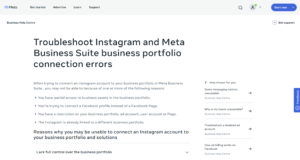
(cre: Business Help Center – Meta, https://facebook.com/business/help/567938347644871)
1. Incorrect Business Manager Ownership
One of the most frequent causes is mismatched ownership within Meta Business Manager. The Instagram account must be owned by the same Business Manager that owns the Facebook Page and the ad account. Assigning access without ownership is insufficient for Ads Manager delivery.
2. Missing or Incomplete Permissions
To run ads effectively, the Instagram account requires:
- Advertiser access to the ad account
- Editor or Admin access to the Facebook Page
- Proper linkage under Business Settings → Accounts → Instagram Accounts
Even a single missing permission can prevent Instagram from appearing in Ads Manager.
3. Facebook Page Not Linked to Instagram
Instagram ads are technically delivered via a connected Facebook Page. If the Page is disconnected, unpublished, restricted, or flagged, Ads Manager will fail to recognize the Instagram account, even if login credentials are correct.
4. Ad Account or Business Manager Restrictions
If your Facebook Ads account has been partially restricted due to policy violations, unusual billing activity, or identity verification issues, Instagram placements may silently fail. Meta reports that over 30% of integration errors occur in accounts with prior policy warnings, even if ads are still running on Facebook.
5. Instagram Account Type or Status Issues
Only Professional Instagram accounts (Business or Creator) can be used in Ads Manager. Additionally, Instagram accounts with community guideline strikes, shadow restrictions, or compromised security (e.g., recent suspicious logins) may not sync correctly.
Step-by-Step Fixes to Restore the Connection
First, verify that your Instagram account is set to Business or Creator and linked directly to the correct Facebook Page inside the Instagram app. Next, navigate to Meta Business Manager and confirm ownership, not just access, of the Instagram account. Then, check that your ad account is active, verified, and free of spending or policy restrictions. Finally, remove and re-add the Instagram account within Business Settings to force a fresh sync, which resolves the issue in a significant number of cases.
Advanced Troubleshooting for Experts
For experienced advertisers managing multiple Facebook Ads accounts, deeper diagnostics may be required. Review Business Manager’s System Users and Partner Access, as inherited permissions from agencies or previous partners can override current settings. Also inspect Account Quality for hidden delivery limitations. In high-budget environments, it is not uncommon for Instagram connections to fail due to legacy Business Manager structures created before Meta’s 2021–2023 platform updates.
If the issue persists, Meta Support recommends creating a new test ad account within the same Business Manager to validate whether the problem is account-specific or structural. This method is frequently used by enterprise advertisers spending over $50,000/month to isolate integration failures.
Best Practices to Prevent Future Integration Issues
Maintain a clean Business Manager structure with clear ownership, limit unnecessary partner access, and complete all business and identity verifications early. Regularly audit permissions across Facebook Pages, Instagram accounts, and ad accounts, especially after staff changes or agency transitions. From a scalability standpoint, advertisers who proactively manage Business Manager hygiene report up to 40% fewer delivery and integration issues over time.
Conclusion
When Instagram is not connecting to Facebook Ads Manager, the root cause is rarely random. It is almost always tied to Business Manager ownership, permissions, account quality, or policy status. By understanding the underlying mechanics of Meta’s ad ecosystem and applying both basic and advanced fixes, advertisers can restore full functionality, protect performance, and scale campaigns with confidence. For professionals in Facebook Ads account management, mastering these integrations is no longer optional—it is a competitive advantage.