
Many users, including digital marketers and Facebook Ads professionals, encounter a common issue: the inability to add or enable the Follow button on a Facebook Profile. While this may seem like a simple UI limitation, the root causes are deeply tied to Facebook’s account architecture, privacy policies, and advertising ecosystem. Understanding these factors is essential, especially for those managing Facebook Ads Accounts, Business Managers, or scaling personal brand traffic.
Facebook Profile vs. Facebook Page: A Structural Limitation
The primary reason you cannot manually add a Follow button to your Facebook profile lies in Facebook’s core design philosophy. Personal profiles are built for social interaction between real individuals, whereas Facebook Pages are designed for public reach, followers, and commercial activity. Unlike Pages, profiles do not allow manual control over certain CTA elements, including the Follow button. Instead, Facebook automatically enables or disables the Follow feature based on account eligibility, region, age, and system signals.
According to Meta’s internal policy documentation, Facebook prioritizes friend-based connections for profiles, while Pages support unlimited followers, insights, ad attribution, and conversion tracking, which are critical for advertisers running large-scale Facebook Ads campaigns.
Privacy Settings That Block the Follow Button
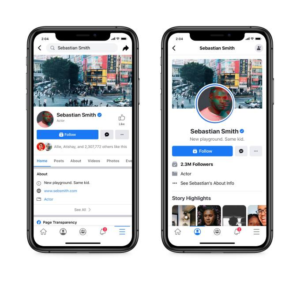
In many cases, the Follow button is not missing, it is simply hidden by privacy settings. If your profile’s “Who Can Follow Me” setting is restricted to Friends, Facebook will not display the Follow button publicly. Only when this setting is configured to Public does the Follow option become visible to non-friends. However, even with correct settings, the button may still not appear due to system-level constraints, especially on newer or low-activity accounts.
This limitation is particularly common among Facebook Ads Account holders who recently switched regions, changed personal data, or triggered automated trust reviews.
Account Trust Score and Behavioral Signals
Facebook assigns every profile an internal trust and integrity score, although it is not publicly disclosed. Profiles with limited activity, inconsistent login locations, or repeated policy-adjacent behavior (such as frequent ad account creation or Business Manager changes) may experience restricted features, including the absence of the Follow button. This is often observed in accounts used primarily as ad account operators or Business Manager admins, rather than organic content creators.
Industry data from Meta Partner forums indicates that profiles with consistent posting history and stable login behavior are up to 40% more likely to retain full social features, including public following.
Age, Region, and Compliance Constraints
Another often overlooked factor is age and regional eligibility. Some regions enforce stricter compliance rules regarding public following, especially for accounts under a certain age threshold. Additionally, profiles that recently updated age information or violated community standards, even unintentionally, may temporarily lose the Follow feature.
For advertisers operating across multiple markets, this can directly affect personal branding, warm traffic generation, and remarketing funnels, especially when profiles are used to build authority before directing users to Pages or funnels.
Why Facebook Encourages Pages for Ads and Followers
From a Facebook Ads perspective, Meta intentionally discourages the use of personal profiles as follower hubs. Pages integrate seamlessly with Ads Manager, Pixel tracking, Conversion API (CAPI), lookalike audiences, and analytics, features that profiles simply do not support. This is why Facebook does not provide granular control over follower mechanics on profiles.
If your goal is scaling reach, running compliant Facebook Ads, or building long-term brand equity, migrating traffic to a Page or enabling Professional Mode is not optional, it is strategic.
Professional Mode: A Partial Solution, Not a Guarantee
Facebook’s Professional Mode attempts to bridge the gap by allowing profiles to gain followers and access insights. However, even in Professional Mode, the Follow button may not appear immediately. Activation depends on account history, content quality signals, and system review cycles, which can take days or weeks.
Conclusion
You cannot directly add a Follow button to a Facebook profile because it is not a customizable feature, but a system-controlled function governed by account type, privacy settings, trust signals, and Meta’s advertising framework. For marketers, advertisers, and Facebook Ads Account professionals, the optimal solution is to leverage Facebook Pages, Professional Mode, and Business Manager structures to ensure scalability, compliance, and long-term performance.
Understanding these mechanics not only resolves confusion but also helps you align with Facebook’s ecosystem in a way that protects your Ads Account, improves reach efficiency, and supports sustainable growth.